Downloading and Installing QGIS Tutorial
- Go to https://qgis.org/
- Click the ‘Download’ button on the top right of the page. It will take you to a donation page, which you can skip by clicking the orange ‘skip it and go to download’ button underneath the donation amount block.
- You should now see a page that looks like this:
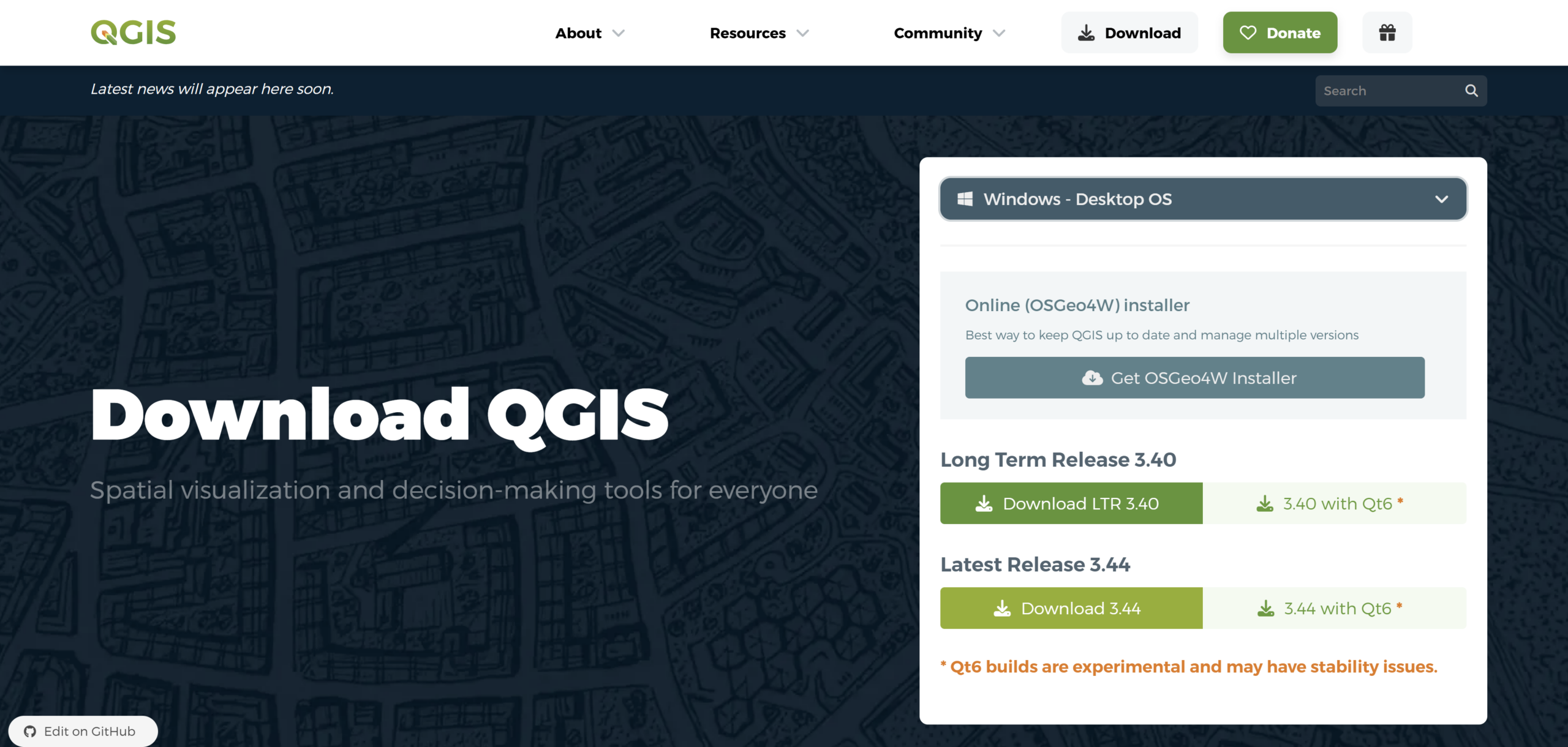
- Click the dropdown menu to select your computer’s operating system:
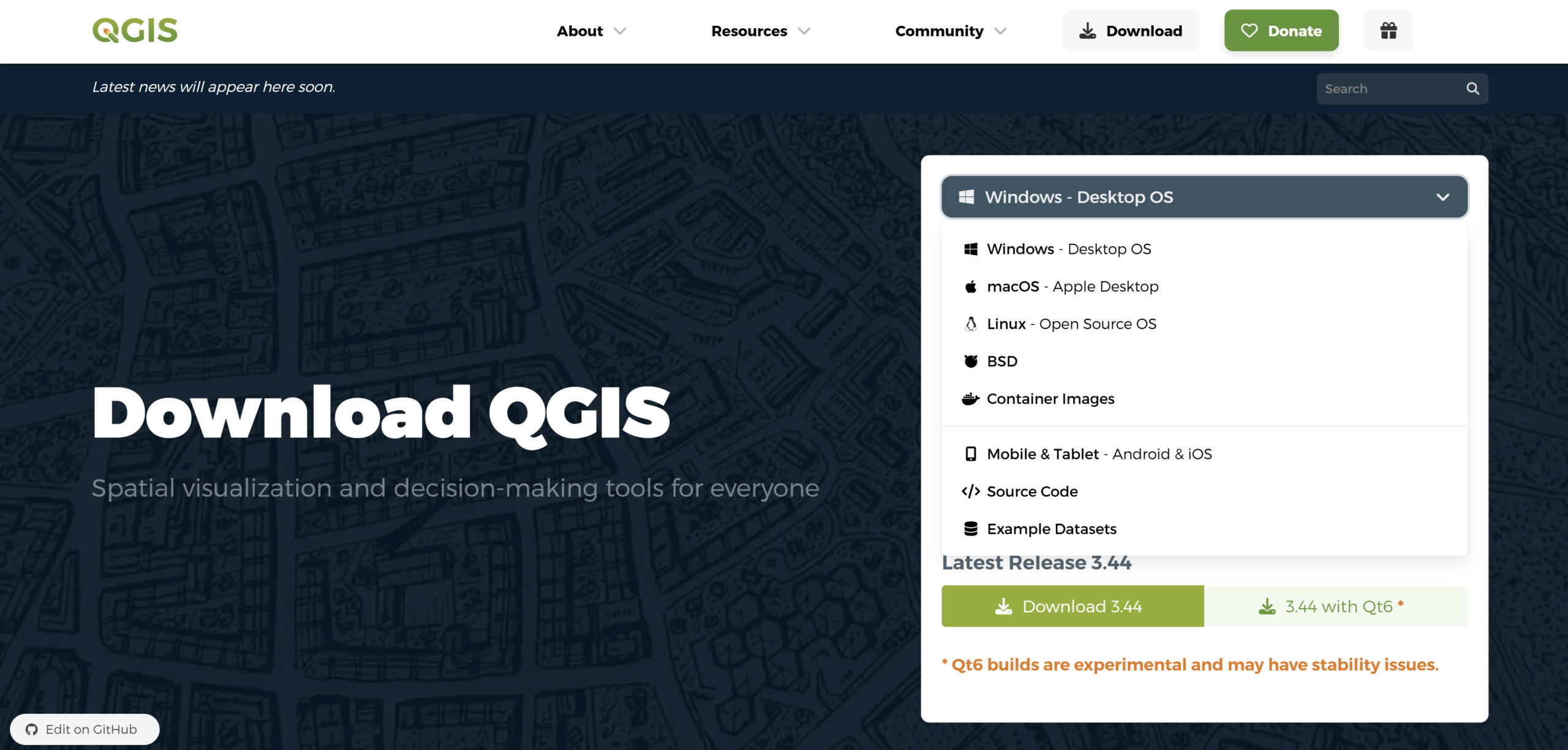
For Windows Users
- After you select your operating system, you’ll be given a choice of which version of QGIS to download.
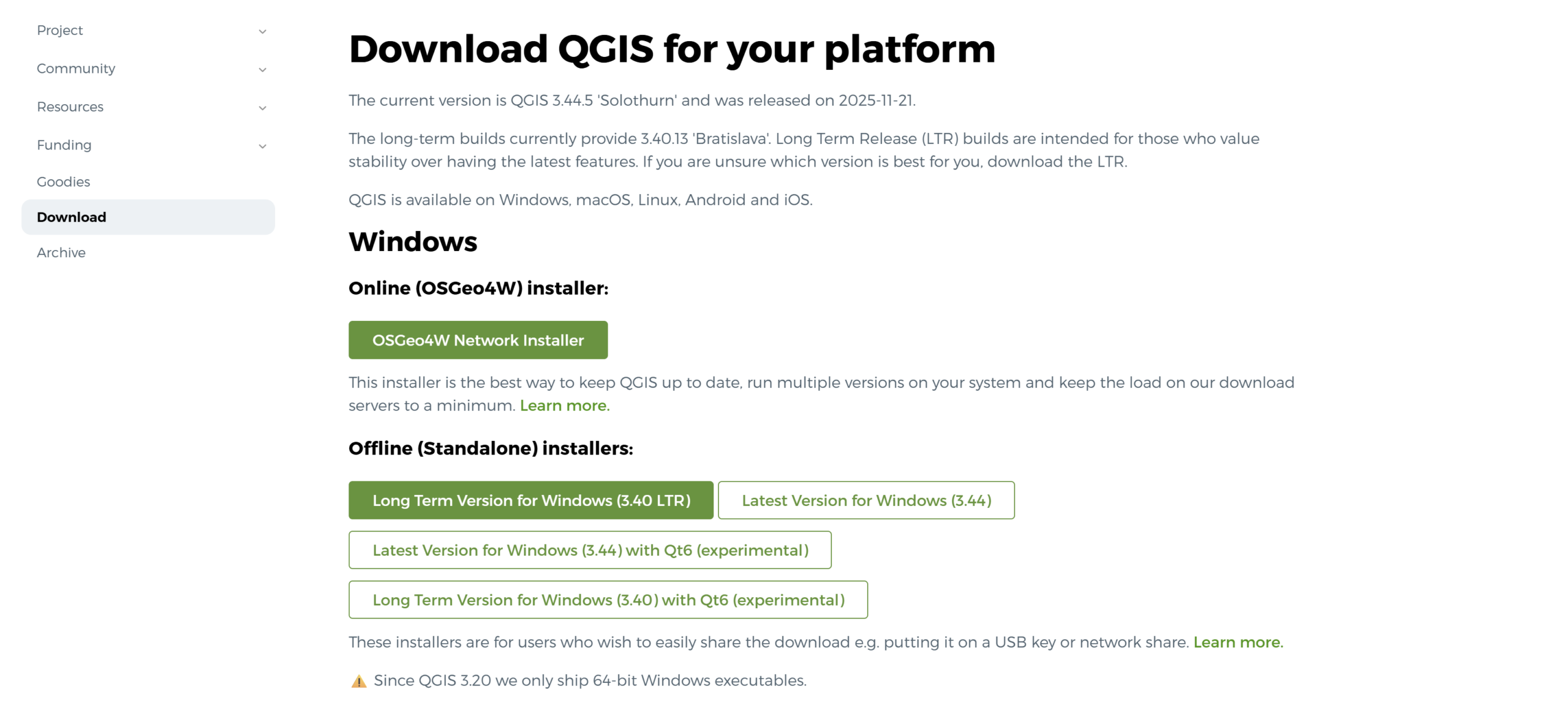
The most stable version to download is the ‘Long Term Version for Windows.’ QGIS updates frequently – the short term versions (latest versions) are experimental and not suitable for long term projects. The long term version of QGIS also updates regularly, so that is something to keep an eye on, however it is the better option since there’s a longer time in between updates and is more reliable for working on longer projects.
- Once you have clicked the download button for the long term release version of QGIS (LTR 3.40 as of Dec. 2025), it will begin to download onto your computer. Once it has completed, go to where your downloads are stored on your device, open the download, and follow the instructions to finish the installation process.
For MacOS Users
- After you select your operating system, you’ll be given a choice of which version of QGIS to download:
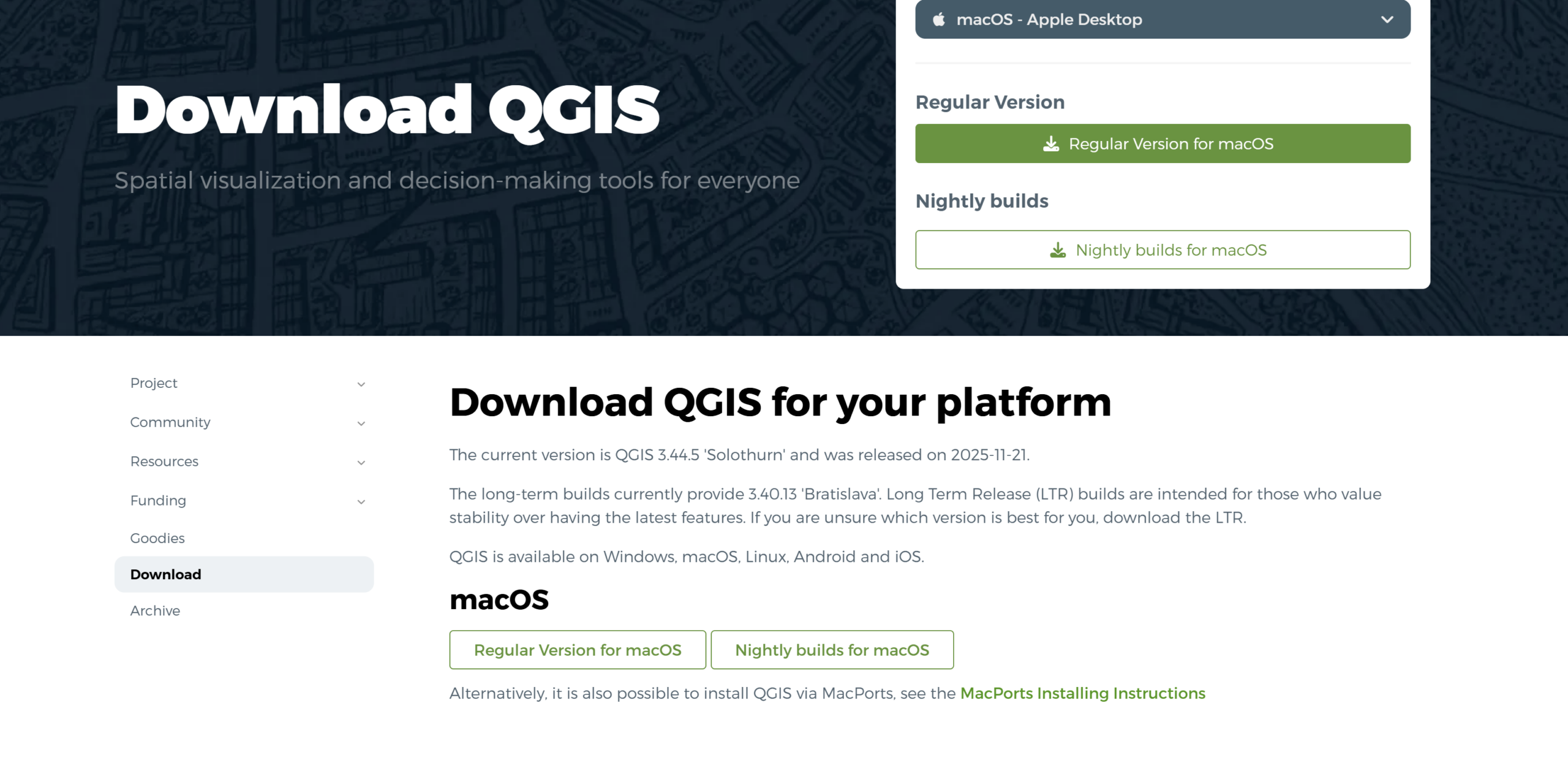
- The most stable version to download is the ‘Regular Version for macOS.’ QGIS updates frequently – the short term versions (latest versions or nightly builds) are experimental and not suitable for long term projects. The regular version of QGIS also updates regularly, so that is something to keep an eye on, however it is the better option since there’s a longer time in between updates and is more reliable for working on longer projects.
- Once you have clicked the download button for the regular version of QGIS (LTR 3.40 as of Dec. 2025), it will begin to download onto your computer. Once it has completed, go to where your downloads are stored on your device, open the download, and follow the instructions to finish the installation process.
For more help:
QGIS Installation Guide: https://qgis.org/resources/installation-guide/